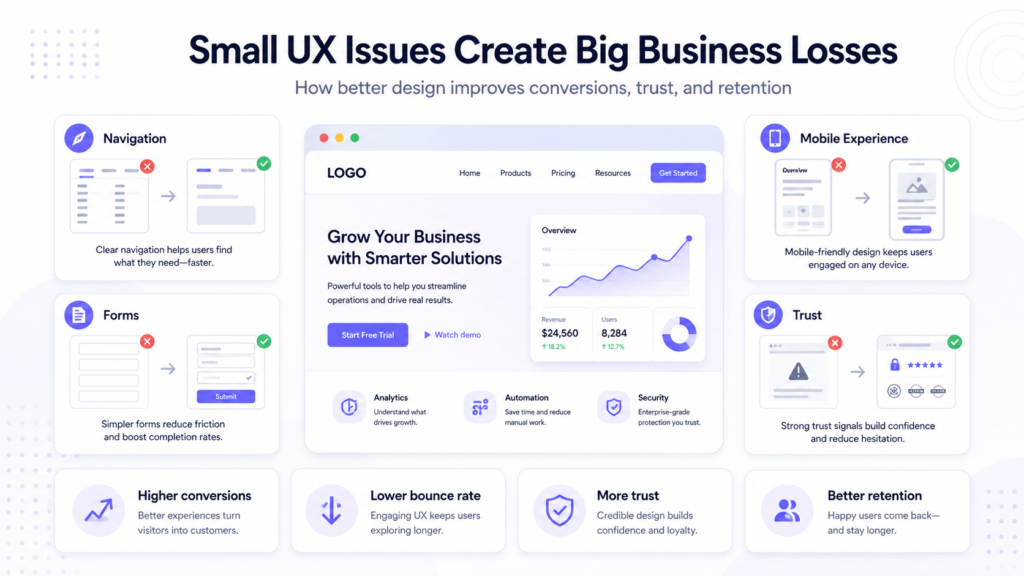

Small businesses often invest in ads, social media, and content, but still struggle to turn visitors into customers. In many cases, the problem is not visibility. It is the website experience itself. Small UX and UI issues can quietly reduce trust, lower conversions, and push people away before they take action. This is why website usability is not just a design concern. It is a growth factor.
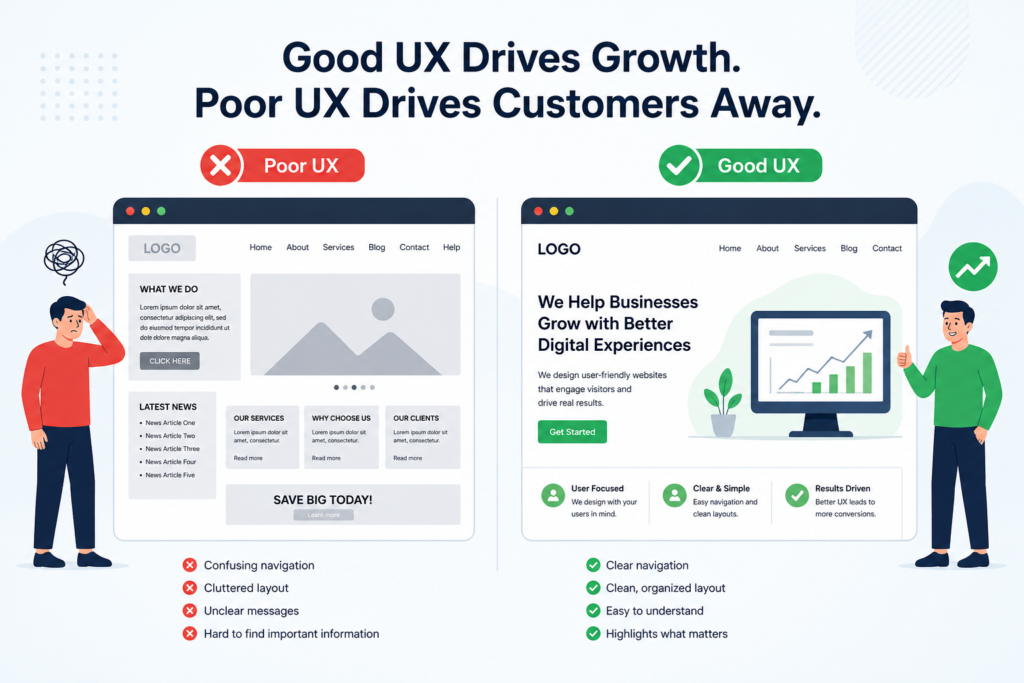
Image 1. Common website UX mistakes that quietly reduce conversions
Why website UX matters for business growth
Nielsen Norman Group describes usability as a key part of helping people use an interface easily and efficiently. You can explore that framework here: NNGroup’s usability overview
1. Confusing navigation makes users leave faster
When visitors cannot quickly understand where to click next, they leave. Menus with vague labels, too many options, or weak page structure make even a good offer harder to trust.
A small business website should guide people clearly to services, pricing, contact details, or checkout. If users need to guess, the experience already feels heavier than it should.
2. Slow pages hurt trust and conversions
Website speed directly affects user experience. A slow page makes the business feel less reliable and less professional.
Google’s web performance guidance explains that performance should be measured through user-centric metrics because speed affects how real visitors experience a page, not just how a site looks during development.
This matters especially for small businesses because users often compare several providers at once. If one site feels slow, they move to the next option.
3. Poor mobile UX creates silent drop-offs
A large share of website traffic now comes from phones, yet many small business websites still feel desktop-first. Tiny buttons, broken spacing, long sections of text, and hard-to-complete forms all reduce mobile conversions.
Mobile users usually want fast answers. They want to scan, understand, and act. If the website does not support that behavior, the business loses leads without always realizing why.
4. Long or unclear forms increase abandonment
Forms should help users move forward, not create extra work. Contact forms, lead forms, sign-up flows, and checkout fields often ask for more information than necessary.
The more effort a form requires, the more likely a visitor is to stop halfway. Keeping forms short, readable, and clearly labeled makes a real difference in completion rates.
5. Weak visual hierarchy hides what matters
If every section looks equally important, users do not know where to focus. That is a visual hierarchy problem.
Good hierarchy uses spacing, headings, contrast, and button emphasis to show users what matters first. Without it, people scan the page but miss the main action.
How businesses can improve website UX without a full redesign
Not every improvement requires a full rebuild. Many meaningful UX gains come from smaller updates, such as simplifying navigation, shortening forms, making buttons clearer, refining headings, and reviewing how the site performs on mobile.
That is also why interface review tools have become more valuable for growing teams. Platforms like Pixelait help businesses spot design and usability issues that may seem small at first, but can still influence trust, navigation, and overall growth.
For performance checks, Google’s web performance guidance is also a useful starting point because it shows how performance should be measured through user-centered metrics.
Final thoughts
Small UX problems do not always look dramatic. Most of the time, they appear as small friction points that slowly reduce conversions, trust, and long-term growth.
For small businesses, improving website UX is one of the most practical ways to get more value from the traffic they already have. Better usability does not just make a website look cleaner. It helps the business perform better.